What is a Days Between Dates Calculator?
A Days Between Dates Calculator finds the difference between a start date and an end date. It is useful when you need to calculate the length of a project, the number of days until a deadline, the time between two events, a billing period, a travel interval, or a date difference for a spreadsheet.
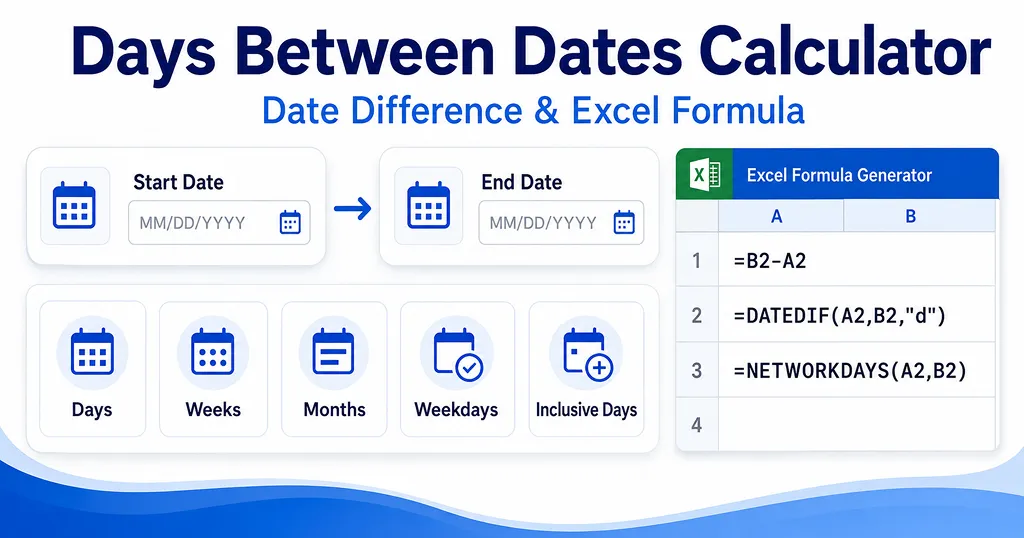
This calculator separates several date-counting methods because “days between dates” can mean different things depending on the task. The standard Days result measures elapsed calendar days, while Inclusive days counts both boundary dates. Weekdays counts Monday through Friday, and Full monthscounts only completed calendar months.
Days between dates vs. inclusive days
The usual date difference excludes the start date. For example, the difference from January 1 to January 2 is 1 day. If you need to count both January 1 and January 2, the inclusive result is 2 days.
This difference matters for schedules, leave periods, event windows, reservation ranges, and other situations where the first and last calendar date may both need to be counted.
How weeks and months are calculated
Weeks are calculated by dividing the elapsed day difference by 7. The calculator also shows the number of full weeks plus remaining days so you can read the result without converting a decimal yourself.
Months are shown as full calendar months, following the same general idea as Excel’s
DATEDIF(A2,B2,"m"). This is different from dividing the day count by 30 because calendar months have different lengths. For example, February, April, and July do not contain the same number of days.Weekdays vs. business days
In this calculator, Weekdays means Monday through Friday. Saturdays and Sundays are excluded, but holidays are not automatically removed. This makes the result match the basic behavior of
NETWORKDAYS(A2,B2) when no holiday range is supplied.If you need true business days for a workplace, add your holiday dates to Excel and use a third argument such as
=NETWORKDAYS(A2,B2,$D$2:$D$20). Excel can then exclude both weekends and the holiday dates in that range.Excel formulas for the number of days between two dates
Microsoft Excel stores dates as serial numbers, so subtracting one valid date cell from another returns the number of days between them. If the start date is in A2 and the end date is in B2, the simplest formula is
=B2-A2.Microsoft also documents
DATEDIF for calculating differences in days, months, or years. For simple day differences, direct subtraction is usually easier to read. For complete months, =DATEDIF(A2,B2,"m") is useful. For Monday-through-Friday counts, use =NETWORKDAYS(A2,B2).Common ways to use a date difference calculator
- Project planning: measure elapsed days from kickoff to deadline.
- Work schedules: count Monday-through-Friday days in a period.
- Invoices and contracts: confirm the length of a billing or service period.
- Travel planning: compare calendar days between departure and return dates.
- Excel reporting: generate formulas for days, months, weeks, and workdays.
Frequently asked questions
- Q. Does the calculator include the start date?A. The main Days result does not count the start date; it measures elapsed days. Use Inclusive days when you want to count both the start date and the end date.
- Q. Are weekends included in the Days result?A. Yes. Days is a calendar-day difference, so Saturdays and Sundays are included. Use Weekdays when you want Monday-through-Friday dates only.
- Q. Does Weekdays exclude U.S. federal holidays?A. No. The calculator excludes Saturday and Sunday only. In Excel, add a holiday range as the third NETWORKDAYS argument if you also want to exclude holidays.
- Q. What Excel formula calculates the number of days between two dates?A. If the start date is A2 and the end date is B2, use =B2-A2. You can also use =DATEDIF(A2,B2,"d") for complete days between the dates.
- Q. Why can the month result look smaller than days divided by 30?A. The Months result counts full calendar months rather than estimating months from an average number of days. A partial month is not counted as a full month.