
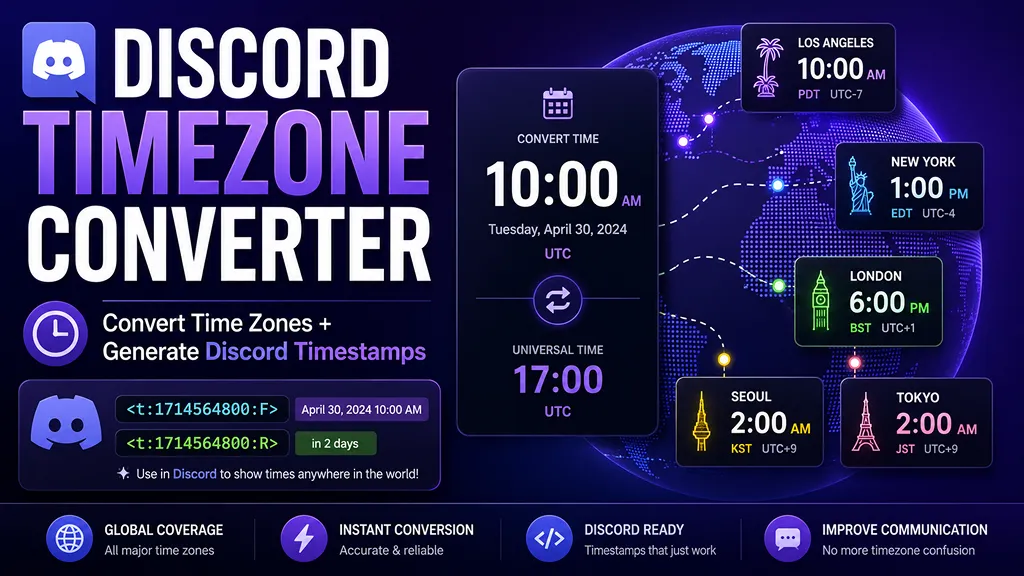
What is a Discord Timezone Converter?
A Discord Timezone Converter helps you turn a real date and time into a Discord timestamp. When you paste a timestamp such as
<t:1714564800:F> into Discord, each person sees the time in their own local timezone. This is especially useful for global servers, game raids, study groups, online events, live streams, community calls, product launches, and deadline reminders.Writing a normal time like “Friday 9 PM” can be confusing because Discord members may live in different regions. Someone in New York, London, Seoul, Tokyo, Sydney, or Los Angeles may all interpret the same text differently. Discord timestamps solve this by using a Unix timestamp, which represents one exact moment in time.
How Discord timestamps work
Discord timestamps use this structure:
<t:UNIX_TIMESTAMP:STYLE>. The Unix timestamp is the number of seconds since January 1, 1970 UTC. The style letter controls how Discord displays the time. For example, <t:1714564800:F> shows a full date and time, while <t:1714564800:R> shows a relative countdown such as “in 2 hours” or “3 days ago”.Discord timestamp style guide
- t: short time, useful for compact reminders.
- T: long time with seconds, useful when precision matters.
- d: short date, useful for simple date-only notices.
- D: long date, useful for readable event dates.
- f: short date and time, useful for most announcements.
- F: full date and time, useful for formal schedules.
- R: relative time, useful for countdowns and deadlines.
When should you use a Discord timestamp?
Use a Discord timestamp whenever people in different time zones need to meet at the same moment. It is useful for multiplayer game events, Discord stage sessions, webinars, watch parties, community launches, school deadlines, team meetings, and international project updates. A timestamp reduces confusion because each member sees the correct local time inside Discord.
Why this converter is different
This tool does more than generate a single Unix timestamp. It lets you choose the original timezone, preview the converted time in several other regions, check whether the date changes across time zones, copy every Discord timestamp style, and generate ready-to-send Discord announcement templates. The parser also lets you paste an existing Discord timestamp and decode it back into a readable time.
Tips for Discord event announcements
- Use
<t:UNIX:F>for the main event time because it is the most readable full format. - Add
<t:UNIX:R>next to it so members can instantly see how much time is left. - Preview major regions before posting if your server has members across the U.S., Europe, and Asia.
- For deadlines, write the exact Discord timestamp instead of only saying “tonight” or “tomorrow”.
FAQ
- Q. Does Discord automatically convert the time for every user?A. Yes. When a Discord timestamp is pasted into a message, Discord displays it according to each viewer’s local settings.
- Q. Should I use UTC or my local timezone?A. Enter the time in whichever timezone you already know. The converter turns that source time into one Unix timestamp.
- Q. Which Discord timestamp style is best?A. For most announcements, use the full format
Fand add the relative formatRas a countdown. - Q. Can I paste the generated code directly into Discord?A. Yes. Copy a code such as
<t:1714564800:F>and paste it into a Discord message.