Calculate how much of a target you have completed. Enter your current value and target value to see your progress percentage, remaining amount, next milestone, and saved goal history.
- This calculator is designed for simple goal progress and percentage completion calculations.
- For official business reporting, financial statements, fundraising records, or performance reviews, confirm the final numbers with your CRM, accounting software, analytics dashboard, or internal reporting system.
- Saved goals are stored only in your browser. They are not synced across devices and may be removed if browser data is cleared.
Saved Goal Progress
No saved goals yet.
* Saved goals are stored only in this browser. They may be removed if you clear browser data or use another device.
What Is a Goal Progress Calculator?
A Goal Progress Calculator helps you quickly find out what percentage of a goal has been completed. Enter your current value and your target value, and the calculator shows your progress rate, remaining amount, and whether you are still in progress, exactly on target, or above target.
This is useful for many everyday goals, including sales targets, savings goals, fundraising campaigns, study hours, fitness plans, project tasks, lead generation, subscriber growth, and personal milestones. As long as the current value and target value use the same unit, the progress percentage is easy to calculate and compare.
Goal Progress Formula
Goal progress (%) = (Current value ÷ Target value) × 100
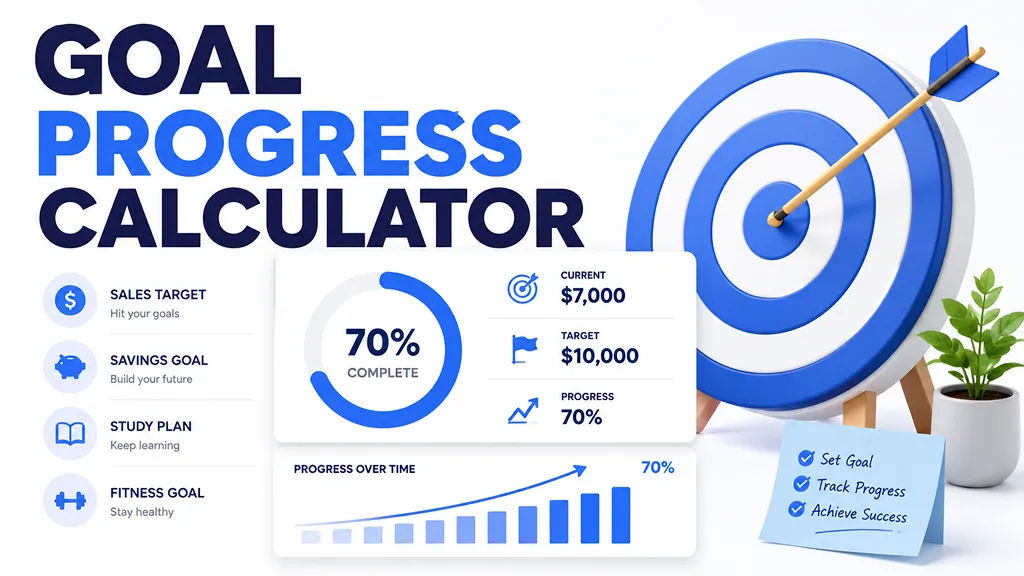
For example, if your target is 100,000 and your current value is 70,000, your progress is:
(70,000 ÷ 100,000) × 100 = 70%
That means you have completed 70% of your goal and still have 30% remaining.
How to Use This Goal Progress Calculator
- Enter a goal name, such as Monthly sales target, Emergency fund, or Study hours.
- Enter the amount you have completed so far in the Current value field.
- Enter the full target amount in the Target value field.
- Click Calculate to see your progress percentage, remaining amount, and next milestone.
- Save the result if you want to track the same goal again later in this browser.
Goal Progress Examples
- Sales target: $7,000 completed out of a $10,000 monthly target = 70%
- Savings goal: $4,000 saved out of a $10,000 emergency fund goal = 40%
- Fundraising goal: $12,500 raised out of a $20,000 campaign goal = 62.5%
- Study plan: 45 study hours completed out of a 100-hour plan = 45%
- Fitness goal: 18 workouts completed out of a 24-workout plan = 75%
- Project progress: 36 completed tasks out of 60 planned tasks = 60%
How to Read Your Goal Progress Result
- Below 50%: You are still in the early stage. It may help to set smaller checkpoints.
- 50% to 74.99%: You have passed the halfway point and can start checking whether your pace is enough.
- 75% to 99.99%: You are close to the target. Focus on the remaining gap.
- 100%: You have reached the goal exactly.
- Over 100%: You have exceeded the target. The extra amount shows how far above the goal you are.
Current Value vs. Target Value
The current value is what you have completed so far. The target value is the full goal you want to reach. For the result to make sense, both numbers should use the same unit.
For example, if you are tracking a savings goal, enter both numbers in dollars. If you are tracking study progress, enter both numbers in hours. If you are tracking project completion, enter both numbers as tasks, items, or milestones.
What Does It Mean If Progress Is Over 100%?
A result over 100% means your current value is higher than your target value. This often happens when you exceed a sales goal, raise more money than planned, complete extra workouts, or finish more tasks than originally expected.
For example, if your target is 10,000 and your current value is 12,000, your progress is 120%. That means you are 20% above your original target.
Goal Progress vs. Percentage Complete
Goal progress, percentage complete, target completion, and achievement rate are often used to describe the same basic calculation. They all answer the same question: How much of the target has been completed?
In everyday use, “goal progress” is natural for personal goals, fitness goals, savings goals, and study plans. “Target completion” and “KPI progress” are more common in business, sales, and performance tracking.
Tips for Tracking Goals More Clearly
- Use one clear target instead of changing the target too often during the same tracking period.
- Review progress regularly, such as weekly, monthly, or at the end of each project sprint.
- Break large goals into smaller milestones like 25%, 50%, 75%, and 100%.
- Compare progress with the time remaining. A goal at 50% completion may be strong or weak depending on the deadline.
- Save important results so you can compare your progress later.
Common Mistakes to Avoid
- Do not mix different units, such as dollars as the current value and hours as the target value.
- Do not enter a target value of 0, because progress cannot be calculated without a valid target.
- Do not compare two goals only by percentage if the size of the goals is very different.
- Do not treat the percentage alone as the full story. The remaining amount and deadline are also important.
Frequently Asked Questions
- Q. Can I use this as a sales target calculator?A. Yes. Enter your current sales amount and your sales target to calculate the percentage of your sales goal completed.
- Q. Can I use this for savings or fundraising goals?A. Yes. Enter the amount saved or raised so far as the current value, and enter the total goal amount as the target value.
- Q. Can I use this for tasks or project progress?A. Yes. Enter the number of completed tasks as the current value and the total number of planned tasks as the target value.
- Q. What if my result is above 100%?A. That means you exceeded your original target. For example, 120% means you completed the goal and achieved 20% more than planned.