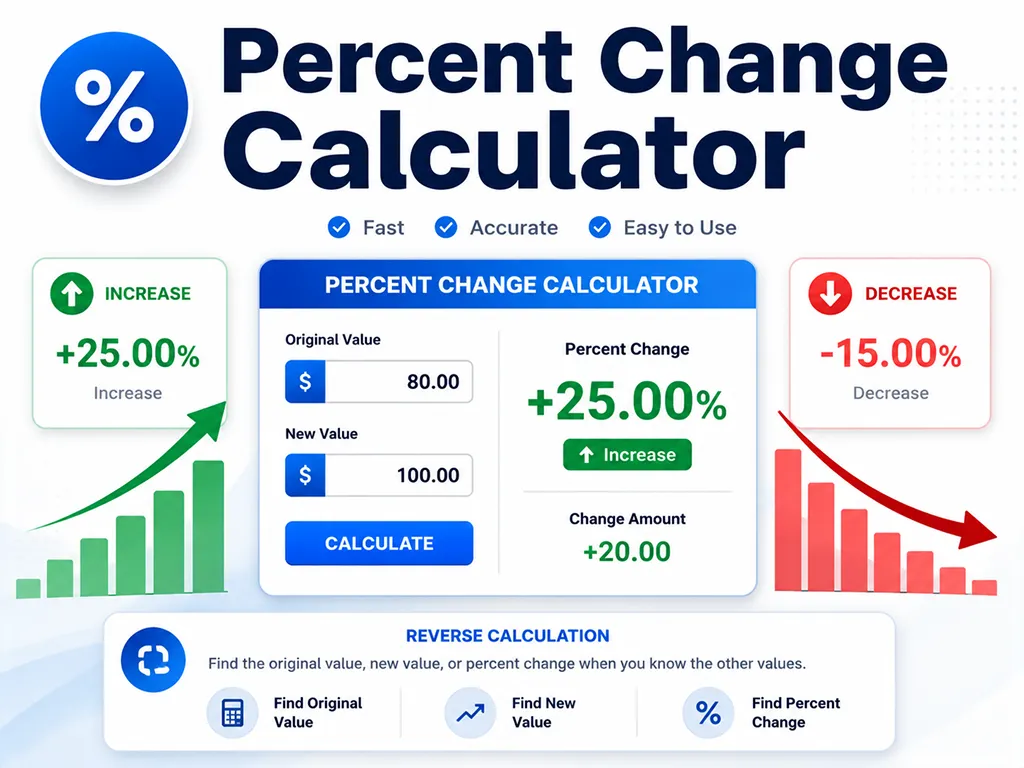
Use this percent change calculator to compare an original value and a new value. It calculates the change amount, percent increase, or percent decrease. You can also reverse the calculation to find the original value or the new value after a percentage change.
Year-over-year revenue growth
Month-over-month traffic change
Price increase or discount comparison
Budget variance
Investment gain or loss
Weight or fitness progress
Percent Change Calculator: Increase, Decrease, and Reverse Percentage
A percent change calculator shows how much a number has increased or decreased compared with its original value. Enter the original value and the new value to calculate the change amount, percent increase, or percent decrease.
Percent change is commonly used to compare sales, revenue, prices, expenses, web traffic, grades, budgets, investment performance, and other values that move over time. For example, you can use it to calculate year-over-year growth, month-over-month change, a price increase, or a discount compared with the original price.
Percent Change Formula
If the original value is
A and the new value is B, the percent change formula is:Percent change = ((B - A) / A) × 100
The change amount is:
Change amount = B - A
A positive result means the value increased. A negative result means the value decreased. A result of 0% means there was no change.
Percent Increase Formula
Use the percent increase formula when the new value is higher than the original value.
Percent increase = ((New value - Original value) / Original value) × 100
Example: if revenue increases from 80,000 to 100,000, the increase is 20,000 and the percent increase is
((100,000 - 80,000) / 80,000) × 100 = 25%.Percent Decrease Formula
Use the percent decrease formula when the new value is lower than the original value.
Percent decrease = ((Original value - New value) / Original value) × 100
Example: if a price drops from 100 to 80, the decrease is 20 and the percent decrease is
((100 - 80) / 100) × 100 = 20%. In signed percent change format, this is shown as -20%.Percent Change Examples
These examples show how the original value, new value, change amount, and percent change are connected.
| Original | New | Change | Percent change | Meaning |
|---|---|---|---|---|
| 100 | 120 | +20 | +20.00% | 20% increase |
| 100 | 80 | -20 | -20.00% | 20% decrease |
| 50 | 0 | -50 | -100.00% | Complete decrease to zero |
| 200 | 300 | +100 | +50.00% | 1.5× the original value |
How to Calculate a New Value After a Percent Change
If you know the original value and the percent increase or decrease, you can calculate the new value by multiplying the original value by a change factor.
- For a 20% increase:
New value = Original value × 1.20 - For a 20% decrease:
New value = Original value × 0.80
For example, if a product price of $80 increases by 25%, the new price is
80 × 1.25 = 100.How to Reverse a Percent Change
A reverse percent change calculation helps you find the original value when you already know the final value and the percent change.
- If 120 is after a 20% increase, the original value is
120 / 1.20 = 100. - If 80 is after a 20% decrease, the original value is
80 / 0.80 = 100.
This is useful for finding the original price before a sale, the previous month’s value before a growth rate, or the starting value before a reported percentage change.
Why Percent Change Cannot Start From Zero
Percent change divides by the original value. If the original value is 0, the formula requires division by zero, so the percentage is not defined.
For example, going from 0 to 10 is a change of +10 units, but it is not a meaningful percent increase because there is no starting base to compare against. In that case, it is better to report the absolute change instead of a percentage change.
Percent Change vs. Percentage Points
Percent change and percentage points are different. If a conversion rate moves from 20% to 25%, the increase is 5 percentage points. But relative to the original 20%, the percent change is
((25 - 20) / 20) × 100 = 25%.This distinction is important when comparing interest rates, conversion rates, click-through rates, profit margins, unemployment rates, survey results, and other values that are already expressed as percentages.
Common Uses for a Percent Change Calculator
- Business: Calculate revenue growth, sales growth, profit change, customer growth, or conversion rate movement.
- Finance: Measure stock price changes, investment gains or losses, budget variance, inflation impact, or portfolio performance.
- Marketing: Compare website traffic, leads, email open rates, ad clicks, CPC, CTR, or campaign performance.
- Shopping: Check price increases, price drops, discounts, sale prices, or reverse-calculate the original price.
- School and everyday life: Compare grades, scores, weight changes, time savings, mileage changes, or any before-and-after value.
FAQ
- Q. How do I calculate year-over-year growth?A. Use last year’s value as the original value and this year’s value as the new value.
- Q. How do I calculate month-over-month change?A. Use the previous month as the original value and the current month as the new value.
- Q. Can percent change be more than 100%?A. Yes. If a value increases from 100 to 250, the percent change is +150%.
- Q. Can a decrease be more than 100%?A. For values that cannot go below zero, such as price, quantity, or revenue, a decrease below -100% usually does not make practical sense. In pure math, it can happen when the new value crosses below zero.
- Q. Is percent change the same as growth rate?A. In many business and finance contexts, growth rate is calculated using the percent change formula. For example, revenue growth from one period to another is a percent change.
- Q. What is the difference between percent increase and percent decrease?A. Percent increase is used when the new value is higher than the original value. Percent decrease is used when the new value is lower than the original value.