What is a PX to CM calculator?
A PX to CM calculator converts a digital image size measured in pixels into a physical size measured in centimeters. It can also convert a desired physical size in centimeters back into the pixel dimensions needed for an image. This is useful for web design, image editing, document layout, photo printing, posters, brochures, and other projects that move between screen and print measurements.
Pixels and centimeters measure different things. A pixel is a digital image unit, while a centimeter is a physical length. Because of that, there is no single fixed conversion between px and cm. The conversion requires a density value, usually entered as DPI or PPI.
PX to CM formula
To convert pixels to centimeters, first convert pixels to inches using the selected DPI value, then convert inches to centimeters.
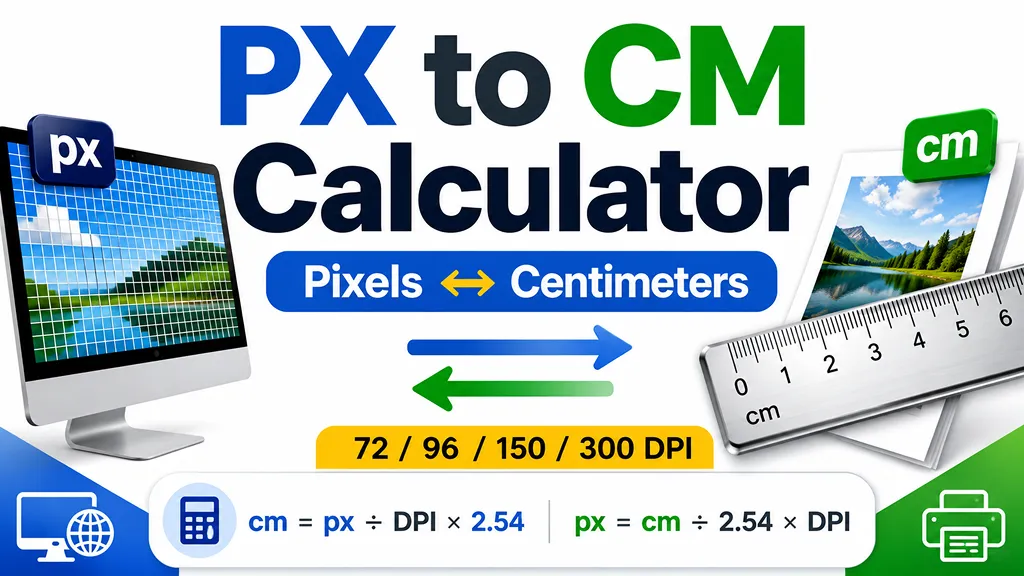
cm = px ÷ DPI × 2.54
Since 1 inch equals exactly 2.54 centimeters, a 300 px image at 300 DPI is 1 inch wide, which equals 2.54 cm. The same 300 px image at 96 DPI is approximately 7.9375 cm wide.
CM to PX formula
To calculate the pixel size required for a physical measurement, convert centimeters to inches and multiply by the selected DPI value.
px = cm ÷ 2.54 × DPI
For example, a 10 cm image at 300 DPI requires approximately 1,181 pixels. At 96 DPI, the same 10 cm size requires approximately 378 pixels.
Why DPI and PPI change the result
PPI means pixels per inch and is commonly used for digital displays and image resolution. DPI means dots per inch and is commonly used for printers and print output. In everyday image-size calculations, both values are often used as the density input that connects pixels with a physical measurement.
A higher DPI value places more pixels into each inch, so the same number of pixels produces a smaller physical size. A lower DPI value spreads those pixels across a larger physical area.
Common DPI settings
- 72 DPI: a legacy screen-resolution reference that is still used in some design workflows.
- 96 DPI: a common web and Windows reference setting.
- 150 DPI: often used for medium-resolution drafts and prints.
- 300 DPI: a common target for high-quality printed photos, brochures, flyers, and other print materials.
When to convert pixels and centimeters
- Checking how large a digital image may print at a selected DPI.
- Calculating the pixel dimensions needed for a poster or brochure.
- Converting Figma, Photoshop, Canva, or image-editor dimensions to centimeters.
- Preparing photos, labels, worksheets, and document graphics for printing.
- Comparing web image dimensions with a required physical output size.
How to use this calculator
Select px → cm when you already know the pixel dimension and want to estimate its physical size. Select cm → px when you know the required physical size and need the corresponding pixel dimension. Then choose one of the common DPI presets or enter the exact DPI/PPI value required by your display, printer, or project.
Important limitations
This calculator provides a mathematical conversion based on the DPI or PPI value you enter. Actual on-screen size can vary with display scaling, browser zoom, device pixel ratio, and monitor settings. Actual printed size can vary with printer drivers, print scaling, margins, image resampling, and application settings. For final production work, verify the document size and output settings in the software and printer you plan to use.
Frequently asked questions
- Q. Is 1 pixel equal to a fixed number of centimeters?A. No. The physical size of one pixel depends on the selected DPI or PPI. At 96 DPI, 1 px is approximately 0.02646 cm. At 300 DPI, 1 px is approximately 0.00847 cm.
- Q. What DPI should I use for web images?A. Pixel dimensions are usually more important than physical centimeters for web images. When a physical conversion is still needed, 96 DPI is a common reference value.
- Q. What DPI should I use for printing?A. Many high-quality print workflows use 300 DPI, while some larger or less detailed output may use 150 DPI. The correct setting depends on the printer, viewing distance, material, and print provider requirements.
- Q. Why does the same image have different centimeter sizes?A. The pixel count stays the same, but changing the density changes how many pixels are placed into each inch. More pixels per inch create a smaller physical size, while fewer pixels per inch create a larger physical size.