
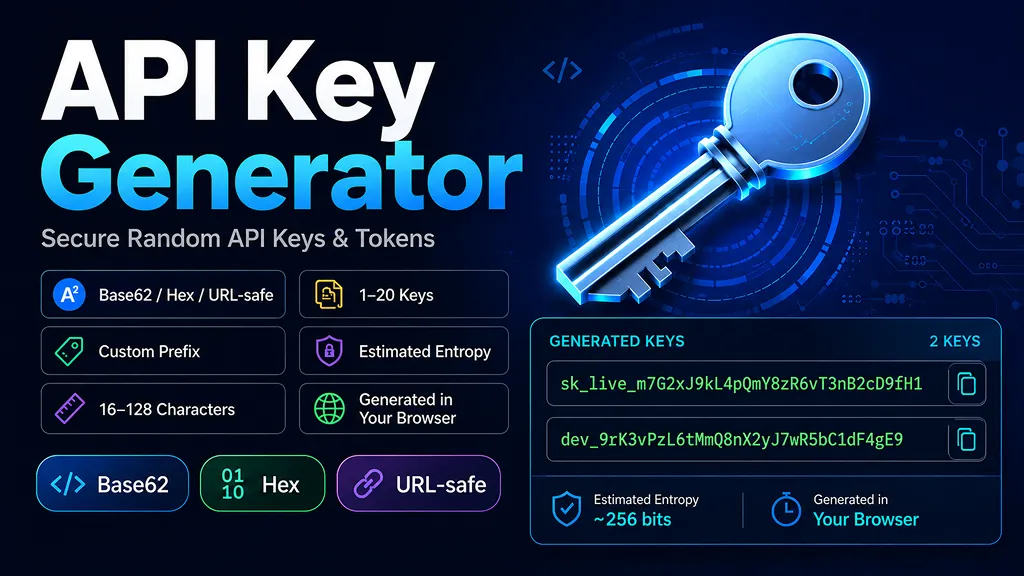
What is an API key generator?
An API key generator creates random strings that can be used as API keys, access tokens, secret tokens, webhook secrets, or other application credentials. This tool lets you choose Base62, hexadecimal, or URL-safe characters and optionally add a readable prefix such as
sk_live_, dev_, or myapp_.Prefixes make keys easier to identify in logs, dashboards, and internal tooling. For example, you can separate production and development credentials with
live_ anddev_. A prefix is fixed text, however, so it does not add randomness to the secret portion of the key.How this random API key generator works
Random values are generated with the browser's
crypto.getRandomValues()method. The generator also uses rejection sampling instead of directly applying a simple modulo operation to every random byte. This helps keep character selection uniform when the alphabet size does not evenly divide 256.This page generates random credential strings. It is not a replacement for dedicated cryptographic key-generation tools for AES, RSA, ECDSA, signing keys, certificates, or other cryptographic key material. Use the key-generation API or library required by your chosen cryptographic system for those cases.
How to read the entropy estimate
The estimated entropy shown above is based on the number of available characters and the length of the random portion. If is the random string length and is the alphabet size, the estimate is:
Here, is the estimated number of entropy bits. The prefix is fixed text, so it is not included in and does not increase the entropy estimate.
A hexadecimal alphabet contains 16 possible characters. Therefore, each uniformly random hex character contributes:
For the 64-character hex preset, the estimate becomes:
Base62 has 62 possible characters, so it provides more combinations per character than hex. Excluding ambiguous characters slightly reduces the alphabet size and therefore slightly reduces the displayed entropy estimate.
API key security best practices
Strong randomness is only one part of API key security. Storage, permissions, monitoring, rotation, and revocation matter just as much. Consider these practices when using API keys as credentials:
- Do not hardcode secret keys in client-side code or public repositories: credentials embedded in browser JavaScript, mobile apps, or committed source code can be exposed to other users.
- Use least privilege: if a provider supports IP, domain, API, role, or permission restrictions, scope each key to only what it needs.
- Rotate or revoke compromised credentials: if a key is exposed or suspected to be exposed, disable it and replace it with a new credential.
- Avoid putting secrets in URLs: query strings can appear in browser history, logs, analytics systems, and referrer data. Prefer the authentication method documented by the API provider, such as an Authorization header or dedicated header.
- Store server-side secrets in a secret-management system: environment variables, deployment secrets, or a dedicated secrets manager are safer choices than placing credentials directly in source files.
Designing API keys for your own service
If you are issuing API keys for your own application, separating a recognizable identifier or prefix from a long random secret can make operations easier. A format such as
myapp_live_... can communicate the key type or environment while the random part supplies the secret value.On the server, track metadata such as the account or user that owns the key, permissions, creation time, last-used time, expiration, and revocation status. If your application never needs to recover the full secret after creation, you can also consider storing a one-way verification hash instead of the original secret. Credentials that must later be sent to a third-party API generally need recoverable storage in an appropriately protected secrets system.
Base62 vs. hex vs. URL-safe API keys
- Base62: uses uppercase letters, lowercase letters, and digits. It packs many possible combinations into a relatively short string.
- Hex: uses only 0-9 and a-f. It is easy to inspect in logs, databases, and command-line tools, and each character represents exactly 4 bits of possible values.
- URL-safe: uses letters, digits,
-, and_. It avoids characters that commonly require URL encoding and is convenient for tokens that may appear in URLs or HTTP-oriented workflows.
Common API key examples
These are format examples only—not real credentials:
sk_live_<random Base62 string>— production-style prefixdev_<random Base62 string>— development credential<64-character hex string>— fixed-width hexadecimal tokenwhsec_<URL-safe random string>— webhook-secret style format
Frequently asked questions
- Q. Are generated API keys sent to a server?
A. The generation logic on this page runs in your browser, and this page does not include code that sends the generated key values to our server. Browser extensions, clipboard managers, device security, or other software on your system are outside the scope of this page. - Q. How long should an API key be?
A. There is no single correct length for every system. Choose a format based on your security requirements, threat model, storage constraints, and any format required by the service you are integrating with. The entropy estimate can help compare the random space of different settings. - Q. Can I use this as a random token generator?
A. Yes, when you need a generic random string or secret token with one of the supported character sets. If a protocol specifies a particular token format, byte length, encoding, checksum, or cryptographic key type, follow that specification instead. - Q. Are API keys and encryption keys the same thing?
A. Not necessarily. API keys are often identifiers or bearer credentials used to authorize API access. AES keys, RSA keys, ECDSA keys, and other cryptographic keys have different purposes, formats, generation requirements, and storage rules.