What is a Base64 encoder and decoder?
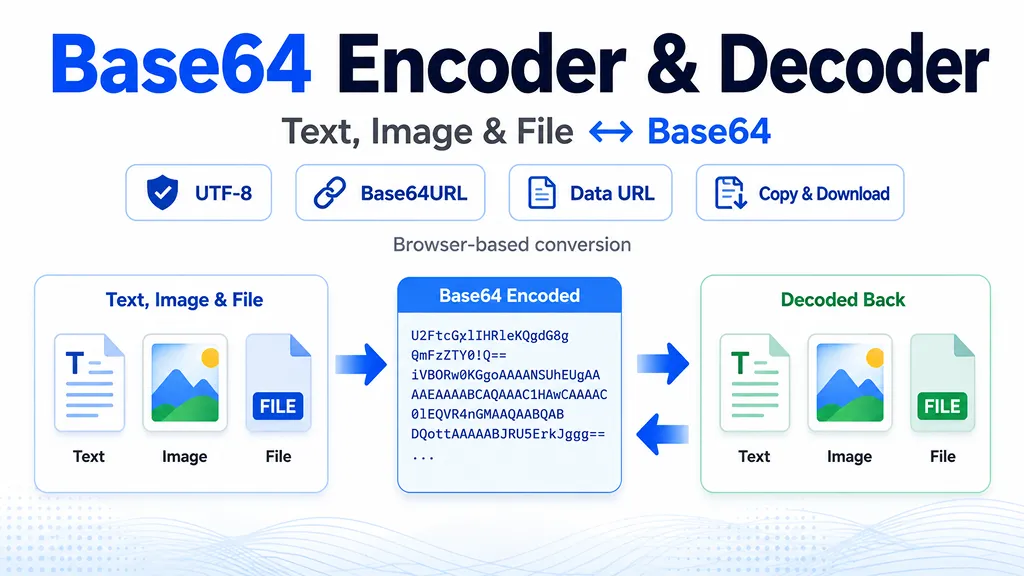
A Base64 encoder converts bytes into printable ASCII characters so binary data can travel through systems that are designed around text. A Base64 decoder reverses that representation and recovers the original bytes. This tool supports UTF-8 text, files, images, standard Base64, and Base64URL.
Base64 is encoding, not encryption. Anyone who has the encoded value can decode it, so Base64 should not be used to hide passwords, API keys, private documents, or other secrets.
How Base64 encoding works
Standard Base64 is defined by RFC 4648. It represents each group of three input bytes as four Base64 characters. For large inputs, the encoded form is therefore roughly one-third larger than the original binary data. The exact encoded length before a Data URL prefix is
4 × ceil(bytes / 3) when standard padding is used.The standard Base64 alphabet uses uppercase letters, lowercase letters, digits,
+, and /. The Base64URL variant replaces those last two characters with - and _, making the result easier to use in URLs and filenames.Base64 vs. Base64URL
Use standard Base64 when an API, file format, email format, or Data URL explicitly expects Base64. Use Base64URL when a protocol specifically calls for the URL-safe alphabet, such as formats that place encoded values in URL or filename contexts. Padding may be omitted only when the surrounding specification allows the decoder to infer the original length.
Text to Base64 and Unicode
This converter encodes text as UTF-8 before converting the bytes to Base64. That means ordinary English, accented characters, emoji, and other Unicode text can be handled consistently. When decoding, the tool attempts to interpret the recovered bytes as UTF-8 text. If the bytes are not valid UTF-8, you can still download the decoded binary data.
Image and file to Base64
Choose File / image to read a local file and convert its bytes to Base64. For standard Base64, you can also include a Data URL prefix such as
data:image/png;base64,.... Data URLs combine a media type and encoded body in one URL-like string, which can be useful for small embedded resources and quick development tests.Common Base64 use cases
- API testing: prepare or inspect Base64 fields in JSON and other text payloads.
- Images and files: convert a local file to a Base64 string or Data URL for development and debugging.
- Base64URL: work with URL-safe encoded values used by web protocols and token formats.
- Debugging: decode unfamiliar Base64 strings to readable UTF-8 text when the underlying bytes are textual.
Privacy and security notes
This page performs conversion in your browser and does not need to upload the selected file or text to a conversion server. Even so, avoid pasting production credentials or sensitive personal data into any online tool unless you understand the surrounding browser, extension, device, and network environment.
Frequently asked questions
- Q. Why does Base64 end with = signs?A. The equals signs are padding characters used when the final input group does not contain a full three bytes. Some Base64URL formats omit padding when the expected data length is otherwise known.
- Q. Can Base64 make a file smaller?A. No. Base64 normally makes binary data larger because four encoded characters represent every three input bytes. Compress the data first if your goal is smaller storage or transfer size.
- Q. Can I decode an image from Base64?A. Yes. If the input is a Base64 Data URL with an image MIME type, this tool can show a preview. Raw Base64 without a media type can still be decoded and downloaded as bytes.
- Q. Is Base64 secure?A. No. Base64 is a reversible data encoding, not a cryptographic protection mechanism. Use encryption and proper secret-management practices when confidentiality is required.
Technical references
The implementation and explanations are based on the Base64 and Base64URL definitions in RFC 4648, browser file-reading behavior in the W3C File API, and Data URL processing described by the WHATWG Fetch Standard.