What is a random name picker?
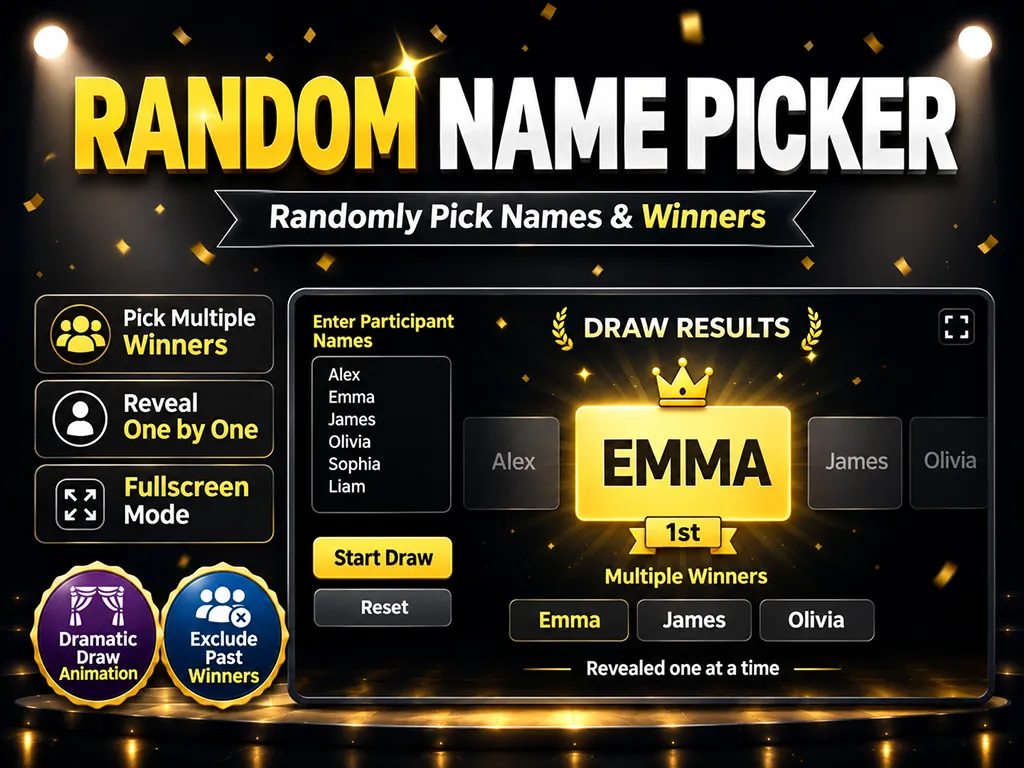
A random name picker is an online tool that chooses one or more winners at random from a list of names, numbers, or entry codes. At a giveaway, raffle, or team event, people want to see the draw happen, not just hear the result. This picker takes you from pasting the list to a countdown, a name shuffle, the winner reveal, and a full-screen winner display in one flow.
How should duplicate entries be handled?
When the same name shows up more than once, the right choice depends on the rules of your draw. [Merge into one] treats identical names or numbers as a single entry, so everyone has the same odds. [More entries, better odds] counts each extra copy as another raffle ticket. For example, if Olivia appears 3 times and Liam appears once, Olivia has a better chance of winning than Liam. Either way, the same entry can never win twice in the same round.
Exclude previous winners for multiple prizes
If you are drawing several prizes in a row, such as first, second, and third place, choose [Exclude next round]. Each winner is removed from the following rounds automatically, so nobody walks away with more than one prize. If every round is a separate giveaway, choose [Allow repeat wins] instead.
Draw animation options
- 3-2-1 countdown: Everyone in the room sees exactly when the draw starts.
- Fast: A quick roll of about 1 second with a brief slow-down for a fast result.
- Normal: Every name rolls by one at a time for about 3 seconds, then it slows down over the last few names and stops.
- Suspense: Names spin fast, then switch to slow motion for the last 4-7 candidates. Where the slow zone starts is random every draw, and each name lingers longer near the end, so it is hard to tell when it will stop. It always stops on the real winner.
- One by one: With multiple winners, each winner gets their own shuffle and is revealed in order.
- Sound: Plays simple sound effects for the countdown, the shuffle, and the reveal.
- Full-screen draw: Use the whole draw stage in full screen, from the countdown through the shuffle and the reveal.
- Winner display: After the draw, show only the winners in large type, and expand it to full screen.
How to use the random name picker
- Enter the names, numbers, or entry codes to draw from.
- Choose the number of winners and how duplicate entries are handled.
- Choose whether to exclude previous winners and how winners are revealed.
- Set the countdown, animation speed, and sound if you like.
- Press Start Draw and watch the draw on screen.
- To draw another prize, press Draw Again on the same screen.
Ways to use it
- Social media giveaways: Pick winners from comments, form responses, or sign-up lists
- Raffles and door prizes: Count multiple tickets per person by entering a name once per ticket
- Office parties and team events: Reveal winners for several prizes one at a time
- Classrooms: Randomly call on students, choose presenters, or assign roles
- Games and meetups: Decide turn order, who goes first, or who takes the penalty
Frequently asked questions (FAQ)
- Q. What happens if the same person is entered more than once?A. It depends on your setting. [Merge into one] removes duplicates, while [More entries, better odds] counts each copy as an extra ticket.
- Q. Can one person win twice in the same round?A. No. Even when duplicates count as extra tickets, the same name can win only once per round.
- Q. Are previous winners removed from the next draw automatically?A. Yes, if you choose [Exclude next round]. To keep everyone in every round, choose [Allow repeat wins].
- Q. Can I paste a list from Excel or Google Sheets?A. Yes. Line breaks and tabs are recognized, so you can copy a column of names or numbers from a spreadsheet and paste it right in.
- Q. Is the draw really random?A. Yes. Winners are chosen with your browser's cryptographically secure random number generator (Web Crypto) before the animation starts, and the animation always lands on that result.
- Q. Is my draw history saved?A. Draw history is kept only while the page is open. Refreshing or closing the page clears it, so copy the results if you need to keep them.